Adobe Photoshop Free for 1 Year 2026: Eligible users can claim 100% OFF for the first year. Check the Adobe checkout, verify eligibility and activate Photoshop.
Adobe Photoshop Free for 1 Year
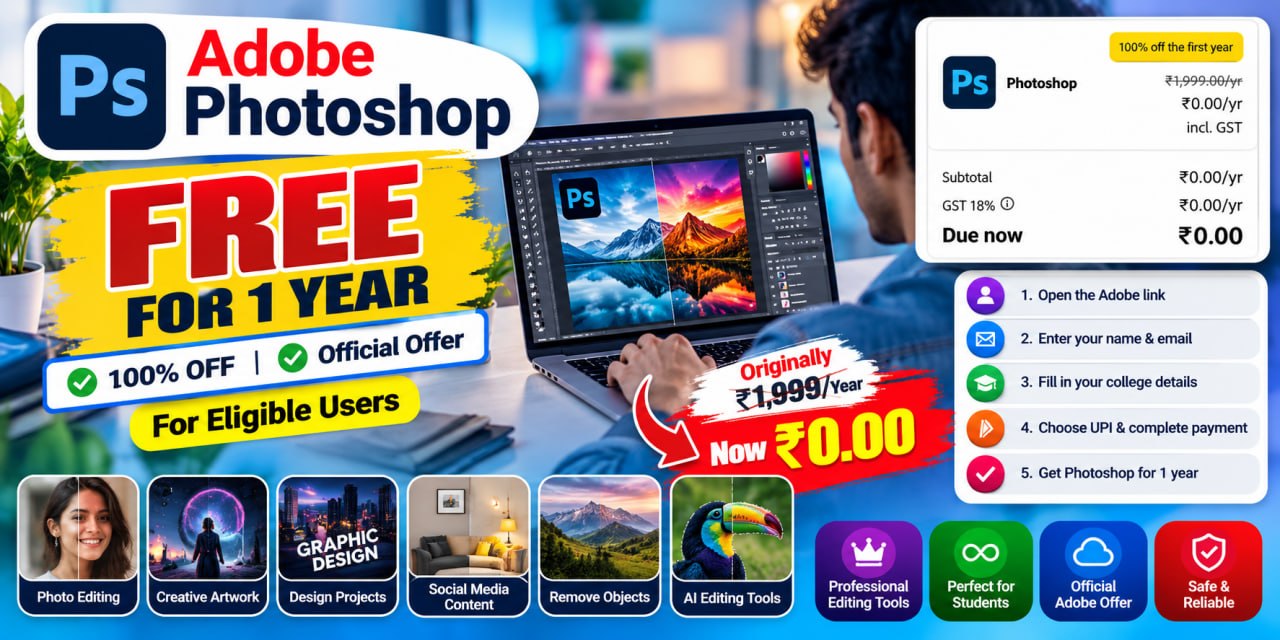
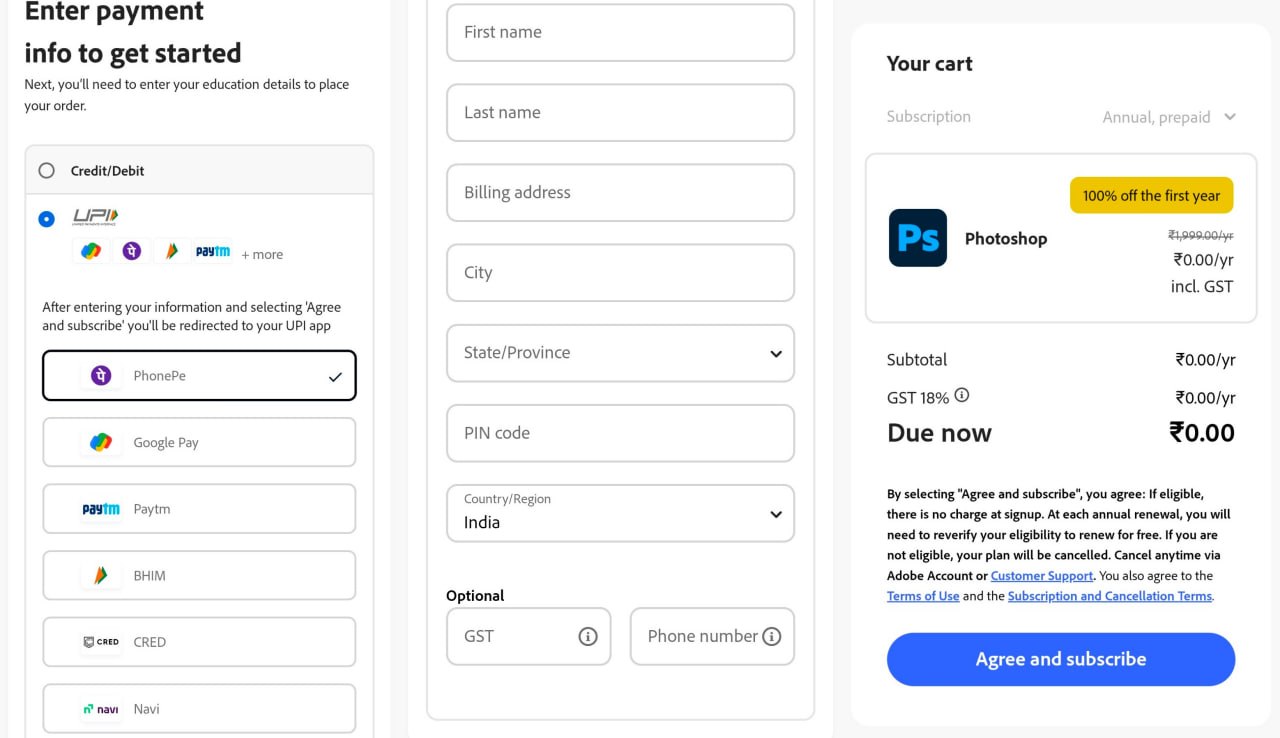
The Adobe Photoshop Free for 1 Year offer can provide eligible users with 100% off the first year of Photoshop, according to the Adobe checkout page shown in the shared screenshot. The checkout displays ₹0.00/year, with the first-year price reduced from ₹1,999/year.
The offer appears to require eligibility verification and may not be available to every Adobe account. Before completing the subscription, check the final amount and eligibility shown on the official Adobe checkout page.
Table of Contents
How to Get Adobe Photoshop Free for 1 Year
- Open the provided Adobe checkout link.
- Sign in to your Adobe account or create an account if required.
- Enter your name and email address.
- Check whether the 100% off first-year offer is displayed on the checkout page.
- Enter the required college or education details if Adobe asks for them.
- Select UPI as the payment method if that option is available.
- Complete any required verification or authorization shown by Adobe.
- Review the final checkout amount carefully.
- If the checkout shows ₹0.00/year, confirm the subscription.
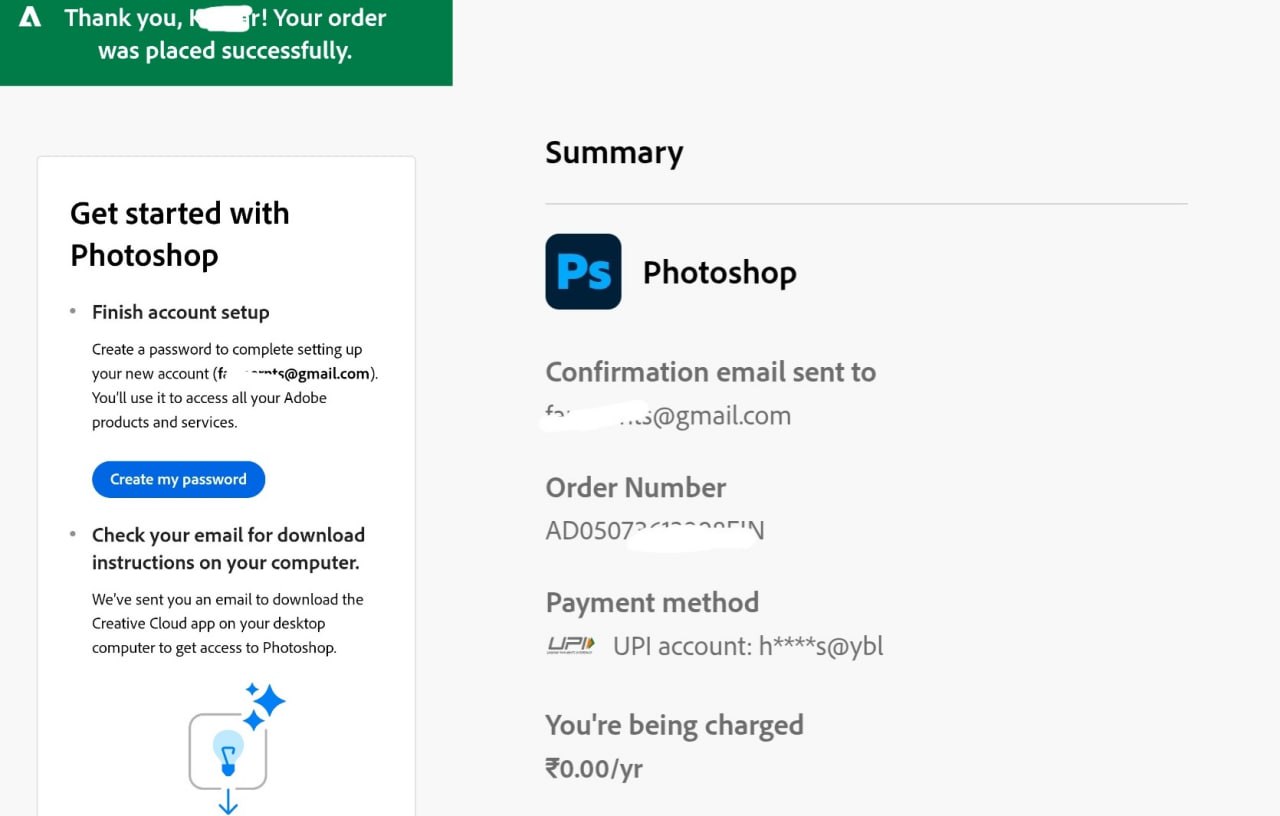
- After successful activation, sign in to Adobe and check that Photoshop is included in your active plan.
Adobe Photoshop Free for 1 Year – Offer Highlights
| Offer Detail | Information |
|---|---|
| Offer | Adobe Photoshop Free for 1 Year |
| First-Year Discount | 100% OFF |
| Price Shown in Screenshot | ₹0.00/year |
| Regular Price Shown | ₹1,999/year |
| GST | Included |
| Eligibility | Depends on Adobe’s eligibility verification |
| Payment Method Mentioned | UPI |
| Product | Adobe Photoshop |
| Country | India |
| Subscription | Annual |
| Renewal | Eligibility may need to be reverified |
What Is the Adobe Photoshop Free for 1 Year Offer?
- Regular price: ₹1,999/year
- First-year promotional price: ₹0.00/year
- GST: ₹0.00/year
- Amount due now: ₹0.00
Adobe Photoshop Free for 1 Year – Step-by-Step Process
- Open the provided Adobe checkout link and check whether the Photoshop promotional offer is available for your account.
- Sign in to your Adobe account or create a new account using your email address.
- Enter your name and other details requested on the checkout page.
- Provide the required student or college information if eligibility verification is required.
- Select UPI as the payment method if it is available.
- Check the final amount carefully before confirming the subscription.
- The shared screenshot shows ₹0.00 due now, but the amount may vary depending on your account eligibility.
- Complete the checkout process and confirm the subscription.
- Open your Adobe account and check whether Photoshop has been activated successfully.
What Does the Adobe Checkout Screenshot Show?
- 100% off the first year
- Regular price shown as ₹1,999/year
- Promotional price shown as ₹0.00/year
- GST shown as ₹0.00/year
- Amount due now shown as ₹0.00
Is Adobe Photoshop Really Free for One Year?
For users who are shown the specific 100% off first-year promotion and successfully meet its eligibility requirements, the checkout can show the first year at ₹0.00.
However, this should not be interpreted as a universal free Photoshop offer for everyone.
Adobe’s current India student page lists a different standard student promotion for Creative Cloud Pro, currently ₹398.99/month including GST for the first year, annual billed monthly.
Therefore, always rely on the price displayed on your own Adobe checkout page before subscribing.
Important Payment and Auto-Renewal Note
Before completing the subscription, carefully read the payment and renewal information shown on Adobe’s checkout page.
Adobe states that subscriptions can automatically renew unless cancelled.
If you don’t want a future paid renewal, check your Adobe account and manage or cancel the subscription before the applicable renewal.
Adobe’s official cancellation instructions explain that subscriptions purchased directly from Adobe can be cancelled through Adobe Account → Plans and payment → Manage plan → Cancel your plan.
If you use UPI AutoPay or a mandate during signup, also check your payment app for the active mandate and manage it according to the payment provider’s options.
Adobe Photoshop Features
- Photo retouching and enhancement.
- Removing unwanted objects from images.
- Creating posters and promotional graphics.
- Designing social-media content.
- Adjusting colours, brightness and contrast.
- Creating digital artwork.
- Combining multiple images.
- Creating website and marketing graphics.
- Working with layers and masks.
- Using Adobe’s AI-powered image editing features where included in the applicable plan.
Adobe Photoshop Free for 1 Year – Eligibility
Eligibility can depend on the specific promotion shown on the Adobe checkout page.
Some Adobe education offers require users to meet education eligibility requirements. Adobe’s published student information says eligible students can include people enrolled in universities, colleges, primary schools, secondary schools or home schools, subject to Adobe’s requirements.
Therefore:
- Check whether the offer appears on your account.
- Provide accurate education information when requested.
- Complete any verification requested by Adobe.
- Don’t assume that the promotion is available to every Adobe user.
Terms & Conditions
- The offer is available only to eligible users who see it on the applicable Adobe checkout page.
- The promotion shows 100% OFF for the first year.
- The shared screenshot shows ₹0.00/year and ₹0.00 due now.
- The final price may vary depending on your Adobe account and eligibility.
- Student or college details may be required for eligibility verification.
- Eligibility may need to be verified again when renewing the subscription.
- Check the final price, renewal terms, and future pricing before confirming the subscription.
Frequently Asked Questions
Is Adobe Photoshop free for one year?
The specific Adobe checkout shown in the shared screenshot displays 100% off the first year and ₹0.00/year for an eligible user.
How much do I have to pay?
The shared screenshot shows ₹0.00 due now. Your own checkout may show a different amount depending on eligibility and the promotion displayed.
Do I need college details?
If Adobe requests education verification for the promotion, you should provide the required college or education details accurately.
Is this offer available to everyone?
Not necessarily. The offer is eligibility-based, so check whether the promotion appears on your Adobe account.
Can I cancel the subscription?
Yes. Adobe provides account-based subscription cancellation through the Adobe Account management page.
Will Adobe charge after the first year?
Renewal depends on the subscription terms and your eligibility. Adobe states that subscriptions can automatically renew, so check the renewal price and conditions before completing signup.
Is the ₹2 payment compulsory?
The information you provided mentions a ₹2 initial payment, but the shared checkout screenshot currently shows ₹0.00 due now. Therefore, don’t state ₹2 as guaranteed. Tell readers to check the amount shown on their own checkout page.
Final Words
The Adobe Photoshop Free for 1 Year offer shown in the shared checkout can be an attractive opportunity for eligible users, with the screenshot displaying 100% OFF for the first year and ₹0.00 due now.
Because Adobe offers can be account- and eligibility-specific, users should verify their own checkout page before subscribing. Also, carefully review the renewal terms and any UPI AutoPay mandate before completing the process.
Claim Adobe Photoshop Free for 1 Year!
